
Introduction
Module Overview
Turn your pricing page into a powerful decision-making tool with the interactive Pricing Module. Designed for SaaS businesses, service providers, and digital product sellers, this module makes it easy to showcase plans in a way that’s both visually appealing and optimized for conversion.
Crafted for flexibility, this module empowers teams to present pricing tiers, compare features, and guide users toward the right plan, all without needing to touch a line of code. Whether you offer monthly subscriptions or annual packages, the module’s sleek interface, responsive design, and dynamic options ensure your pricing always looks and performs its best.
Key Features
-
Fully Customizable Layout
- Add or remove pricing tiers (1 to 3 columns) with ease
- Edit all headings, descriptions, and labels directly within HubSpot’s editor
- Highlight key plans with color accents, icons, or “Most Popular” badges
-
Responsive Across All Devices
- Mobile-first layout that adapts seamlessly to tablet and desktop
- Fluid grid system for smooth scaling across screen sizes
- Touch-friendly toggles and CTA buttons
-
Dynamic Feature Comparison
- Compare plan features using intuitive checkmarks or tooltips
- Support for showing feature availability across different pricing levels
- Individual CTA buttons per tier: “Start Trial”, “Buy Now”, or “Request Demo”
-
Monthly / Annual Billing Toggle
- Give users the option to toggle between monthly and yearly plans
- Auto-updates pricing, footnotes, and button text for clarity
- Ensures consistency in style and structure, regardless of toggle state
-
SEO & Accessibility Friendly
- Fully indexable HTML for better search visibility
- Built to meet WCAG standards for accessibility
- Lightweight, semantic code structure for fast loading times
Installation
Downloading the Module from HubSpot Marketplace
- Log in to your HubSpot account.
- Navigate to the Marketplace in the main navigation menu.
- Search for "Pricing Plan" in the marketplace search bar.
- Locate your module and install it.
You can also click the Buy now button below to go to Module purchase page.
BUY NOWUsing Module in the Page Editor
- Open the HubSpot page editor
- Drag and drop the module into the desired section.
- Configure the content and styles via the content editor
FAQ Section
Where can I customize the module styles?
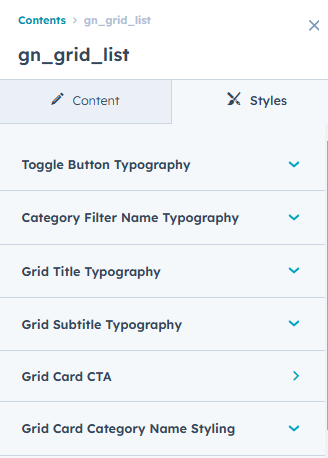
Module offers customization options within the style tab of the HubSpot page editor.
Can I use these modules with any HubSpot theme?
Yes, this module is designed to work seamlessly with any HubSpot CMS theme, allowing you to enhance your website's functionality without compatibility issues.
How can I change the styles and typography of text & cta?
To edit the styles of the CTA and Text there are separate groups respectively from where you can customize those as per your liking.
Still facing issues. Feel free to contact us at our email. We will get back to you as soon as possible.