
Introduction
Module Overview
This module offers a set of highly customizable features designed to enhance website functionality and visual appeal. It is easy to configure, requires no coding, and seamlessly integrates into any HubSpot CMS-powered website.
Key Features
- Drag-and-drop functionality
- Fully responsive design
- Customizable through HubSpot's editor
- SEO and accessibility-friendly
- Designed for SaaS, agencies, and service-based businesses
Installation
Downloading the Module from HubSpot Marketplace
- Log in to your HubSpot account.
- Navigate to the Marketplace in the main navigation menu.
- Search for "Grid List" in the marketplace search bar.
- Locate your module and install it.
You can also click the Buy now button below to go to Module purchase page.
BUY NOWUsing Module in the Page Editor
- Open the HubSpot page editor
- Drag and drop the module into the desired section.
- Configure the content and styles via the content editor
FAQ Section
Where can I customize the module styles?
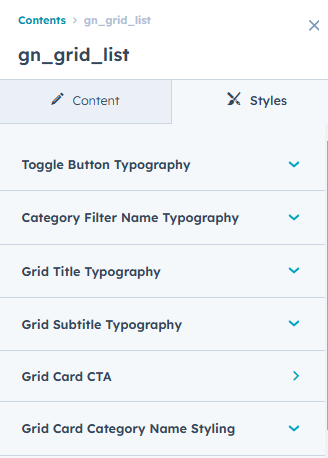
Module offers customization options within the style tab of the HubSpot page editor.
Can I use these modules with any HubSpot theme?
Yes, this module is designed to work seamlessly with any HubSpot CMS theme, allowing you to enhance your website's functionality without compatibility issues.
How can I change the styles and typography of text & cta?
To edit the styles of the CTA and Text there are separate groups respectively from where you can customize those as per your liking.
Still facing issues. Feel free to contact us at our email. We will get back to you as soon as possible.